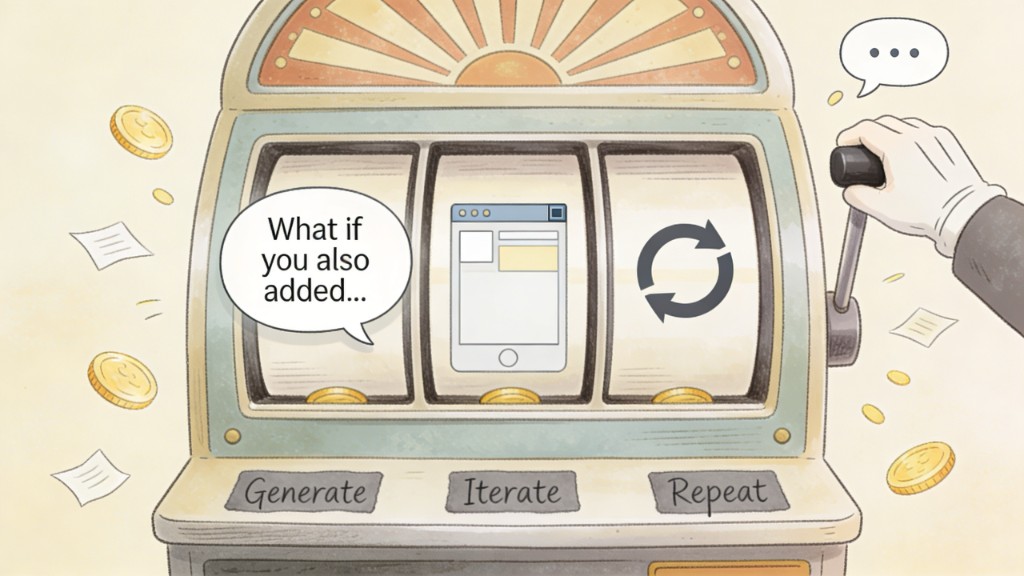
Lovable has a feature I have come to think of as the upsell button. You finish building something, it looks decent, and then it asks: "What if you also added a progress tracker? A dashboard? A weekly summary email?" And you think: yes. All of that. Obviously.
Three hours later you are debugging a feature you did not need, your token count is deep in the red, and the original thing you set out to build still has a bug in the mobile view.
That is vibe coding. And I say that as someone who has built a couple of dozen apps this way, including the platform you are reading this on. I am not warning you off it. I am telling you what it actually costs and how to stop feeding the loop before it feeds on your budget.
Right now, coaches are asking whether they should learn vibe coding to build their own tools, lead magnets, and small websites. The answer is yes, with caveats. Let me give you the honest version, not the "build your first app in a day" version.
What vibe coding actually is
Vibe coding means building software by describing what you want in plain language, then letting an AI generate the code. You do not need to know JavaScript or Python. You describe the outcome, review what the AI produces, point out what is wrong, and iterate.
Andrej Karpathy, who coined the term, put it simply: English is the programming language now. You bring the domain knowledge and the judgment. The AI brings the technical container.
The tools most coaches will encounter: Lovable, Replit, Cursor, and v0. Each has a different cost model and a different workflow. They are not interchangeable, and that matters more than most beginner guides let on.
Why coaches want this now
The appeal is obvious. Instead of paying a developer thousands for a custom intake form or a quiz funnel, you build it yourself in an afternoon. Instead of duct-taping five tools together, you create exactly the workflow you need.
For coaches specifically, the use cases are real:
- A custom assessment that scores clients and delivers a personalised recommendation
- A lead magnet tool: a calculator, a planner, a quiz that actually does something
- A simple client portal with session notes and resource links
- A booking page that matches your exact flow instead of a generic template
- A small internal tool that handles something repetitive in your business
None of those require a full-stack developer. And all of them are possible with vibe coding. The question is not whether you can build them. The question is what it will cost you to get there.
The real cost: Replit, Lovable, and the suggestion loop
Replit was our biggest lesson. We spent a significant amount revamping a project on Replit before finally pulling the whole thing into Cursor. The problem was not that Replit is bad. The problem is that it is easy to keep going. Every iteration feels like progress. You are generating code, fixing errors, adding features. The meter is running the whole time, and it does not feel like it until you check the bill.
Lovable works differently. It is genuinely good at what it does, and it has the most encouraging interface I have used. That is also its trap. After each build, it offers suggestions. "What if you also added a progress tracker?" "Should we add a dark mode?" "Would a notification system help here?" Each suggestion sounds reasonable. Each one is another session, another round of prompts, another hour of your afternoon gone.
I have built a couple of dozen apps at this point. The expensive ones all had the same thing in common: I started without a clear boundary for what "done" looked like. The affordable ones had a brief. One outcome. One user. One flow. Finished.
The suggestion loop is not a bug in these platforms. It is the product. More building means more usage means more revenue for them. That is fine. It is just worth knowing before you start.
What I learned after dozens of apps
The first few apps teach you how the tools work. The next few teach you how to prompt better. After that, you start to understand which problems are actually worth building for and which ones already have a perfectly good existing solution.
Here is the short version of what took me a couple of dozen apps to figure out:
Start with a brief, not a vibe
Write down the one thing this app needs to do. Who uses it, what they do, what happens next. One paragraph is enough. Without it, you will build for three hours and end up with something you did not ask for.
Name your done before you start
"Done" is not when it feels finished. Done is when the specific outcome works. Write that down first. When Lovable asks if you want to add a feature, look at your brief. If it is not in there, the answer is no.
Choose your tool based on the project
Replit is good for things you want to host and iterate on over time. Lovable is good for fast UI builds where you want to see the result immediately. Cursor is better when you have an existing codebase to migrate or extend. They are not the same tool and using the wrong one costs you time and money.
Errors are part of the process
Copy the error message, paste it back in, describe what you expected to happen. That loop is normal. It is not a failure. It is the workflow. Once you stop treating errors as problems and start treating them as prompts, the whole thing moves faster.
Some things still need a real developer
Anything with payments, complex user authentication, or integrations that need ongoing maintenance. Vibe coding can get you to a working prototype. It does not always get you to production, and knowing the difference saves you from painting yourself into a corner.
When vibe coding makes sense for coaches
- You have a specific, contained problem. One tool, one user type, one flow.
- You are building something for yourself or a small group first, not straight to a production product.
- You can describe the outcome in two sentences before you open the tool.
- You have time to learn the prompt loop. The first few sessions will feel slow. That is normal and worth sitting with.
- The cost of getting it wrong is low. A bad prototype teaches you something. A bad production system costs you clients.
When it does not make sense
- You want to build everything at once. Scope is the fastest way to lose money and end up with nothing usable.
- You need something with payments, subscriptions, or user data you cannot afford to lose.
- You are trying to replace a tool your clients already rely on. An existing tool with mediocre UX is still more reliable than a half-finished custom build.
- You have no tolerance for debugging loops. They are unavoidable. If they frustrate you past the point of curiosity, the return on investment drops fast.
Where AI Grimm fits in
AI Grimm is not a vibe coding tool. It is for the content and knowledge side of your business: drafting in your voice, working from your documents, keeping your expertise in the output rather than getting averaged out by a general-purpose model.
But the thing I learned building it with vibe coding is directly relevant here. The most expensive mistake in vibe coding is the same mistake people make with AI content: starting without a brief. No defined outcome, no anchor. Just prompting and hoping.
Whether you are building a tool or writing a post, the discipline is the same. Define the job first. Use AI to execute it. Do not let the suggestions expand the scope until the original thing is working.
If you are a coach who wants to get better at AI in your business, start with content that sounds like you and workflows built around your materials. Once that is solid, vibe coding your own tools is a sensible next layer. Not the starting point.
FAQ
What is vibe coding in plain English?
You describe what you want to build in plain language and an AI generates the code. You review it, tell it what is wrong, and keep iterating. No prior coding knowledge required, though some patience for debugging loops helps a lot.
How much does vibe coding actually cost?
It depends heavily on the platform and how disciplined your scope is. A focused build with a clear brief can stay quite affordable. An open-ended build without one can run into hundreds without producing something finished. Replit and Lovable both have subscription and usage costs that compound quickly when you keep following suggestions.
Which vibe coding tool is best for coaches?
Lovable is the most beginner-friendly for visual builds where you want to see results immediately. Replit is better for projects you want to host and maintain over time. Cursor is a strong choice once you have an existing codebase to work with. Start with Lovable for a first project, but set a hard limit on how many suggestion cycles you will follow before calling something done.
Can coaches build real tools with vibe coding or just prototypes?
Both. Simple tools like quizzes, calculators, intake forms, and resource pages can go to production without a developer. Anything involving payments, complex user accounts, or integrations that need ongoing maintenance will likely need a developer at some point, even if vibe coding gets you most of the way there.
Is vibe coding the same as no-code?
Not exactly. No-code tools like Webflow or Typeform use visual interfaces with no underlying code. Vibe coding generates real code, which means fewer limitations but also more that can go wrong. The flexibility is higher. So is the learning curve.
Should coaches learn vibe coding before using AI for content?
No. Content is the faster win. Getting your voice, your offers, and your client communication running on AI-assisted workflows takes less time and pays off faster than building custom tools. Vibe coding is the layer you add once you have the content side working.
What is the biggest mistake coaches make when starting vibe coding?
Starting without a brief and following every suggestion the tool makes. Define the one thing you are building and what "done" looks like before you open the tool. Everything else is scope creep dressed up as a feature.
Thank you for reading. There is more on the blog whenever you are ready. And if you want to work through this alongside other coaches and creators, come and join us inside the community.